Using a Garmin eTrex with a Macintosh or Linux

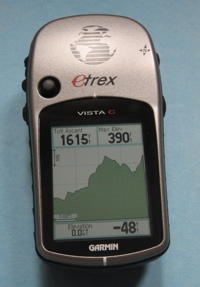
Photo of the Garmin eTrex Legend GPSPhoto of the Garmin eTrex Vista C GPSThe Garmin eTrex series consists of decent, full featured handheld GPS units. The cheaper monochrome eTrex models have a basic RS-232 serial interface, and the color eTrex models sport USB connectivity.

In this article I'll talk about my experience with connecting both USB and serial port versions of the eTrex series to my Mac and to my Linux-based PC.

I personally use the Garmin Vista HCx GPS now, but the other Garmins in the eTrex series, including the inexpensive but well specified Garmin eTrex Venture should work the same way.

Dealing with the eTrex Series with USB

Most of the eTrex units with a color screen have a USB port on the back. Happily, this USB port uses a common USB connector, so it is easy to physically connect a USB eTrex to a Mac or a PC running Linux.
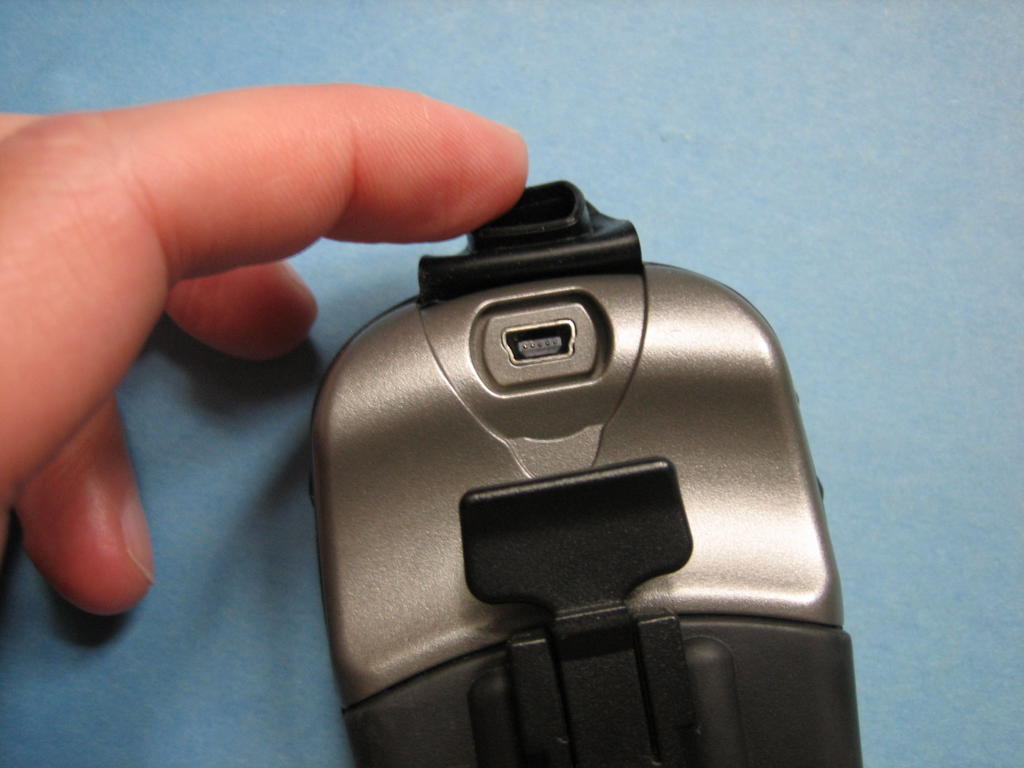
Garmin eTrex VistaC USB PortThe USB Port on an eTrex

I have found two pieces of software perfect for use with a USB eTrex, without the need for special drivers: GPSBabel+ and Google Earth.

The Mac version of the freeware program "GPSBabel+" can natively read and write waypoint, track, and route data directly from the eTrex. I simply connect my GPS to my Mac via the standard USB cable. Once connected, I start up GPSBabel+.

GPSBabel+ can then be used to easily import and export waypoint and track data from the GPS. Simply choose "Use GPS receiver for input" or "output", choose "Convert", and then select the "Garmin USB" port. No special drivers or software beyond GPSBabel+ required.

Google Earth can communicate with the eTrex in real time, plotting your location on the fancy Google Earth map. In addition, like GPSBabel+, Google Earth can download routes, tracks, and waypoints from the eTrex and plot them on the Google Earth map.


Google Earth Screen shotGoogle Earth loading data from my eTrex

Working with Linux

I'm running Fedora Core with the latest updates, and find that it too can communicate with the USB eTrex series without issue. No kernel recompiles were required. Yay! I simply plug the thing into a USB port and then execute this command:

gpspoint -p /dev/ttyUSB0 -da -dt -dr -dw > gpsdata.gpd

With this command, all of the routes, tracks and waypoints are sucked down from the Garmin into a text file. From there, I can convert the file into any form I wish. I particularly like the open-source program Viking.

Non-USB eTrex GPS models

I found that I could easily hook up the dirt cheap eTrex models, like the Garmin eTrex H and the other eTrex models that sport a serial interface.

My classic eTrex Legend is such a device. It's a nice GPS, but modern Macs and most modern PCs don't include near-obsolete serial ports. Happily, there is a simple and inexpensive solution - an eTrex serial cable with a reasonably good, low-cost USB to Serial Adapter.


Serial to USB convert, used with Mac and LinuxMy USB to Serial Adapter

I had to install the drivers for the USB converter onto the Mac. Once I did, good old GPSBabel+ was able to read and write to the GPS. Under Fedora Core Linux, the OS already had the driver for the USB converter. I just had to change my device settings and I was good to go!

[Note: updated on 8-Feb-2010 with more recent information]


Popular posts from this blog

Repairing an HP Pavillion DV6 Motherboard

Here's my procedure on how to remove and replace the logic board of an HP Pavilion DV6. My model is a DV6-3122US, and many DV6s of the 3000 series are similar. These machines often fail to start due to a motherboard failure.  With a motherboard failure, upon pressing power the fan will first spin and the power light comes on.  The capslock key will flash white once every 4 seconds, and the f12 key will stay a solid orange, and the screen - although powered up - displays black only. Although the caps lock "single blink" indicator at boot implies a CPU failure, in my experience it is not due to the CPU itself but the supporting components on the motherboard. The only solid solution is to repair or replace the motherboard.  Replacement boards are readily available.  I bought one and replaced it myself. Disassembly Procedure NOTE: The screws are different sizes, and its important to reinstall them correctly.  I color-coded the different screws in the photos...

Various ways of powering the MikroTik hAP

I have several MikroTik RB952Ui hAP AC Lite routers.  They're located in closets, basements, attics, and on desktops.  Each location results in different needs in terms of power.  Happily, the hAP AC Lite is quite flexible when it comes to power.  Here I document the three different ways I have powered my MikroTik AC Lite routers. Power Solutions: Active PoE+ Splitter, Passive PoE Injector, and Standard wall adapter Standard Power: MikroTik (or aftermarket) Wall Wart The default way to power the AC Lite is by using its standard "barrel-style" power port, which is far more flexible than your typical router.  The AC Lite accepts power between 10 and 24VDC.  When using the MikroTik in a desktop configuration, I use the stock 24 volt MikroTik power adapter .  The stock adapter output specifications are as follows: 24 VDC 1200 mA  2.1mm barrel Center Positive  Passive Power-over-Ethernet solution: TP-Link Power Injector Sometimes it is useful to ...

Hot (and Cold) Attic Tempertures and Electronic Equipment

An unfinished attic can be an extreme environment for electronic equipment, with conditions that are very unlike what is experienced inside normal living spaces. What's the deal with installing electronic equipment in an unfinished and uninsulated attic?   I wanted to install a standard WiFi router in my attic to function as a Wireless ISP (WISP) gateway. My attic is a fantastic location from a radio signal perspective, but it is an uncomfortable place for both people and electronic gear. Although the attic is well insulated, that insulation is on the floor, designed to keep the living space of my home at moderate temperatures. As a WISP gateway, my WiFi router is best mounted above the insulation and close to the roof, where the only protection from weather extremes is the wood of the roof and a layer of asphalt shingles. Equipment Specifications and Extremes Almost all electronic equipment has a set of specifications regarding operating environment. These specifications state the...

Fixing a SodaStream Jet, part 1: Disassembly Guide

I've had my SodaStream Jet for years, and once in a while something has gone wrong. Disassembly is the first step to repair.  Start with this article to see how to disassemble the SodaStream, and then once you have that down, scroll through my other articles to see how I repaired specfic SodaStream problems. SodaStream Jet Disassembly Guide Tools Required Flat head screwdriver Phillips head screwdriver 1. Remove the Carbonator.  Duh. 2. Remove the black panel lever The front big black tilt lever needs to be removed first. Removing this panel is tricky, but it isn't impossible. Looking up at the bottom of the black panel, there are two tabs, one on the left and one on the right. These tabs fully secure the panel in place. The trick is to use a flat-head screwdriver under the plastic to gently lever the tabs out of the way.  Note in the pictures how I approach these tabs with my screwdriver.  I usually release the left side first, and then I release ...

Sodastream Carbonator Leakage, Usage, and Weight

SodaStream 60L "Carbonator" CO2 cylinders have a specific weight when empty, plus about 410 or so grams for the CO2 they should have when they're "full".  A little while ago I went to buy a replacement Carbonator from my local hardware store. The dealer pulled a new Carbonator out of the box and sensed it was lighter than usual.  He put the "light" Carbonator in the "empty" pile and sold me a different one.  At that moment I concluded that it would be smart of me to weigh both new and empty SodaStream carbonators.  Here are the results. Weighing a SodaStream Carbonator - for both Science and Consumer Protection.       The dealer told me that sometimes the carbonators leak after they leave the SodaStream filling facility.  That means there could be an opportunity for customers like me to get ripped off! The SodaStream cylinders I buy claim to have a net product weight of 410 grams - and that means that a full Soda Stream Carbonator shou...

Installing the Eve Smart MotionBlind Upgrade with my Large Roller Shade

I have a large window in the front of my house and a roller shade was just the right window treatment for it.  But I also wanted to automate it. My MotionBlind Upgrade kit and my new roller shade I looked around to buy something that I was comfortable with, but simple non-automated roller blinds can be expensive, especially when they're larger than 6 ft x 6 ft.   This is disappointing, as a roller blind is just a tube with a small amount of synthetic cloth but can easily cost hundreds of dollars. Plus, since I wanted a smarthome blind, we're talking $500 or more from the "service oriented shops". I'm a tech guy.  I think can do better. After thinking about DIY and creative solutions, I decided to try out the Eve MotionBlinds Upgrade (MBU) kit.  This kit transforms an ordinary roller blind into a smart blind.  The MotionBlinds mechanism is basically consists of a small motor and battery in a long metal tube.  This motor tube slides into a roller blind ...

Other Posts

Show more